
Accessing the Admin
Use this page to open Pratham Admin in a browser and understand what you see before and after sign-in.
Open the admin
What it does
Loads the web app at the URL your organisation provides (bookmark or IT handout).
Step-by-step
- Use a modern browser — Chrome, Edge, Firefox, or Safari.
- Open your company’s admin URL.
- If you are not signed in, you land on Admin Login (see below).
- If you were already signed in, you may briefly see Loading… then go to your home screen (often Dashboard).
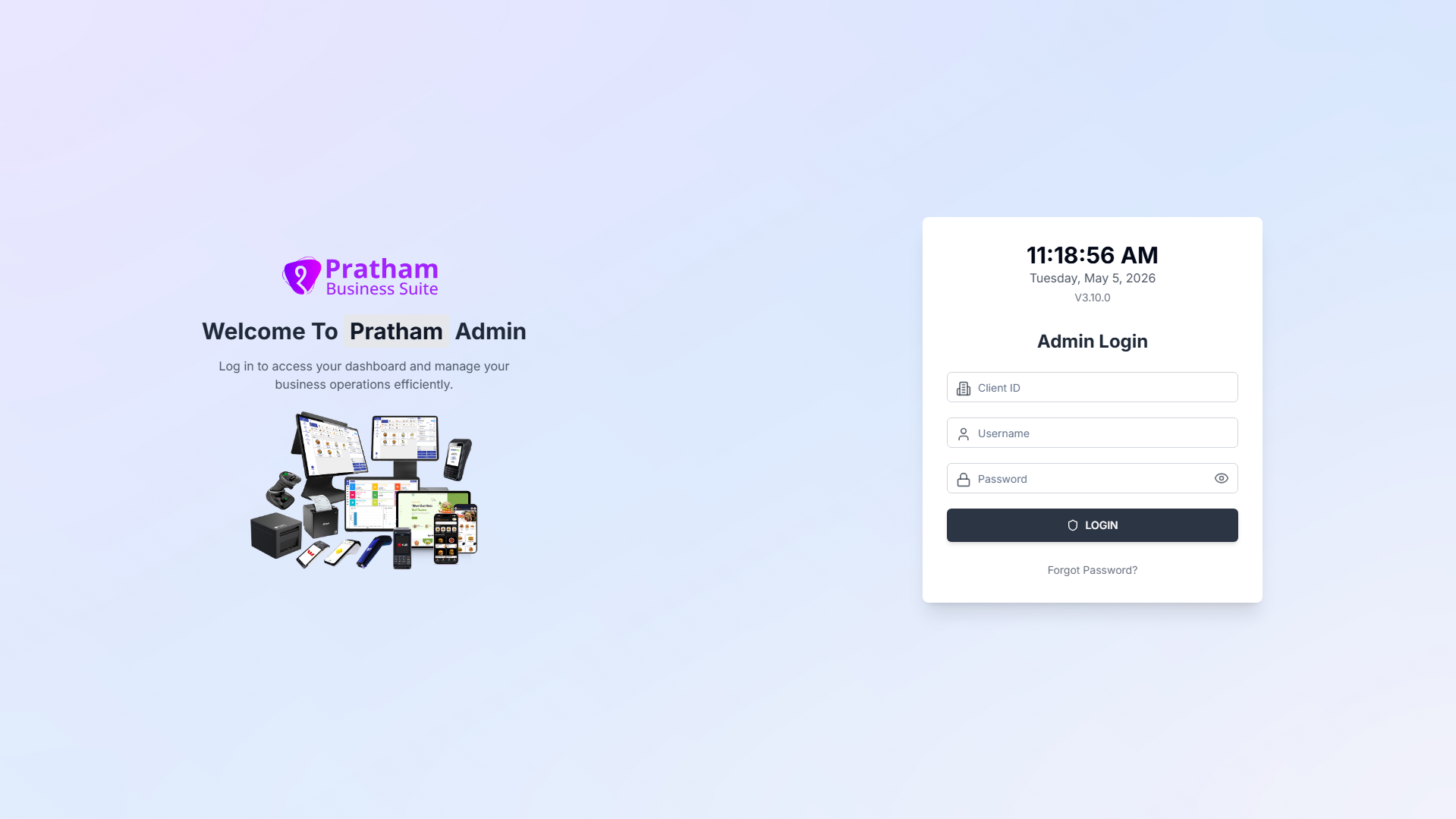
Admin Login screen
What it does
Collects Client ID, username, and password before you enter the app.
Layout
| Area | What you see |
|---|---|
| Left (large screens) | Logo, Welcome To Pratham Admin, short intro line, illustration |
| Right card | Live time and date, version line (e.g. V3.12.0), Admin Login form |
Form fields
| Field | Placeholder | Notes |
|---|---|---|
| Client ID | Client ID | Numbers only |
| Username | Username | From your administrator |
| Password | Password | Eye icon toggles show/hide |
Tap Login (Logging in… while working). Link below: Forgot Password?
Full sign-in steps: Signing in (includes 2FA if your account uses it).
After you sign in
What it does
Main layout: left sidebar (menu), top header (page title and actions), content on the right.
Header actions
| Control | What it does |
|---|---|
| Menu (sidebar toggle) | Show or hide sidebar on small screens |
| Search (magnifying glass) | Open search — placeholder Search pages, reports, settings, features... |
| Lock screen | Lock session (re-enter password to continue) |
| Client ID | Restaurant badge | Your tenant context (large screens) |
| Profile | Opens My Profile |
| Logout | Confirm Are you sure you want to logout? → return to login |
Search results only include pages your role can view.
Next reads: Dashboard · Navigation and sidebar.
Help and support
| Where | What |
|---|---|
| Help & Support (sidebar) | In-app help for all signed-in users |
| Forgot Password screen | Contact support@achyutlabs.com for username issues |
| This documentation site | Topic overviews and per-screen guides |