
Loyalty & Gift Cards
Loyalty points and gift cards are both ways for a customer to pay without cash or card. Loyalty points are earned on past orders; gift cards hold store credit.
WARNING
Both features need a customer linked to the order. The Loyalty and Gift Card buttons stay greyed out until you add a customer. Tap Search Customer in the cart first.
INFO
🔒 Manager only - the loyalty program, earning rates, and reward rules are configured in the Admin portal under Loyalty Program.
Loyalty points
How customers earn points
Customers earn points automatically whenever they are linked to a paid order. The earning rate is set by your venue. Customers can also receive bonus points for referrals, depending on your venue's program.
Redeem loyalty points
Redeeming converts the customer's points into store credit and pays it toward the order, all in one step.
- Link the customer to the order with Search Customer.
- Tap the settings icon (âš™) in the cart, then tap Loyalty - or tap Loyalty points on the payment screen.
- The Loyalty Points screen shows the customer's name and Available Points.
- Check the Automatic Conversion box. It shows the outstanding amount, the points to redeem, and their dollar value.
- Tap Redeem Points.
The POS converts only the points needed to cover the outstanding amount. The value is applied to the order as a payment.
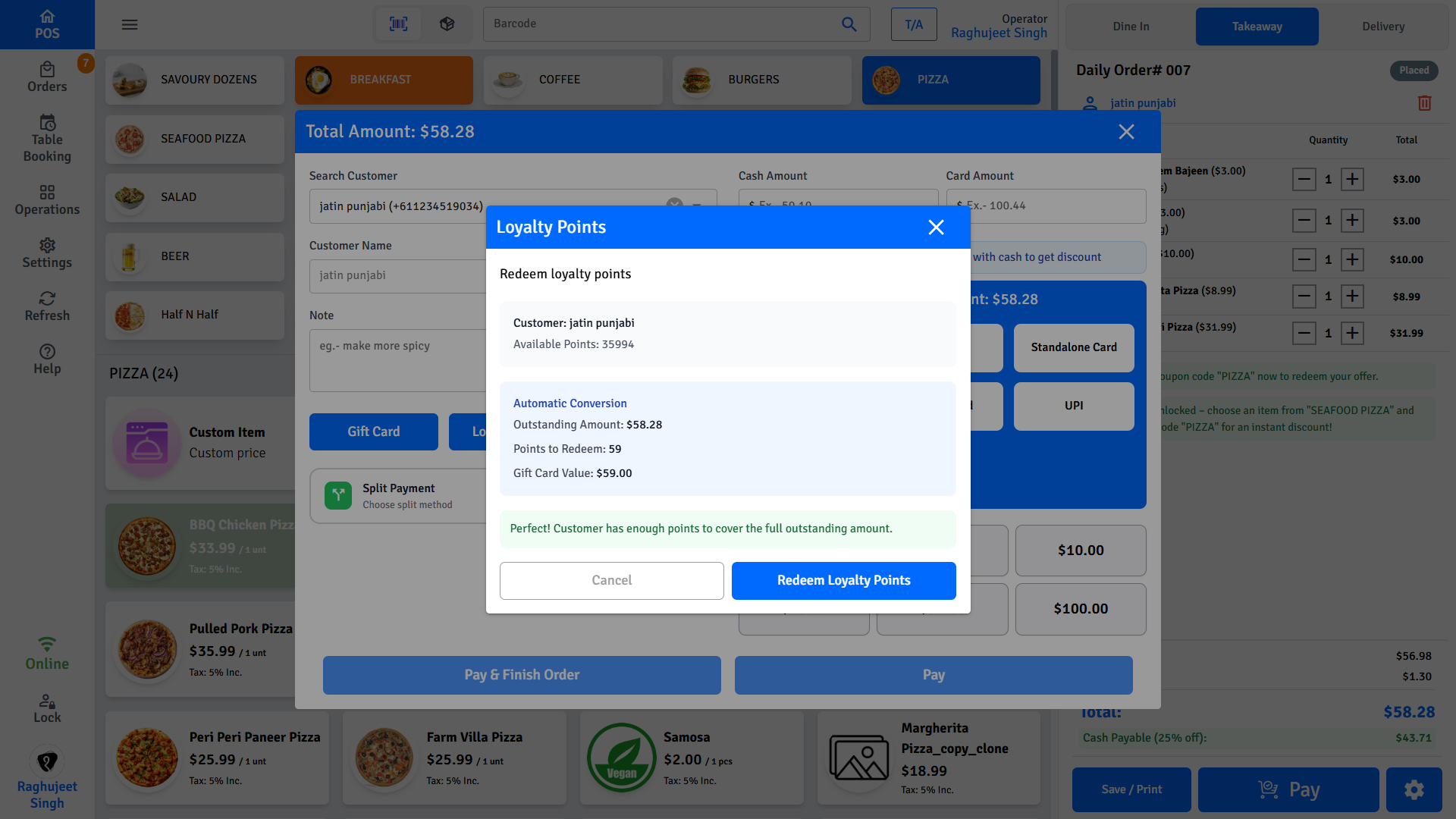
The status message tells you what will happen before you confirm:
| Message | Meaning |
|---|---|
| Customer has enough points to cover the full outstanding amount | Points pay the whole remaining bill |
| Customer points will cover $X. Remaining balance: $Y | Points pay part of the bill - collect the rest by cash or card |
| Customer has no reward points available | Nothing to redeem |
TIP
If points only cover part of the bill, redeem them first, then take the rest with any other payment method. The payment screen shows the new outstanding amount.
Gift cards
Pay with a gift card
- Link the customer to the order with Search Customer.
- Tap the settings icon (âš™) in the cart, then tap Gift Card - or tap Gift Card on the payment screen.
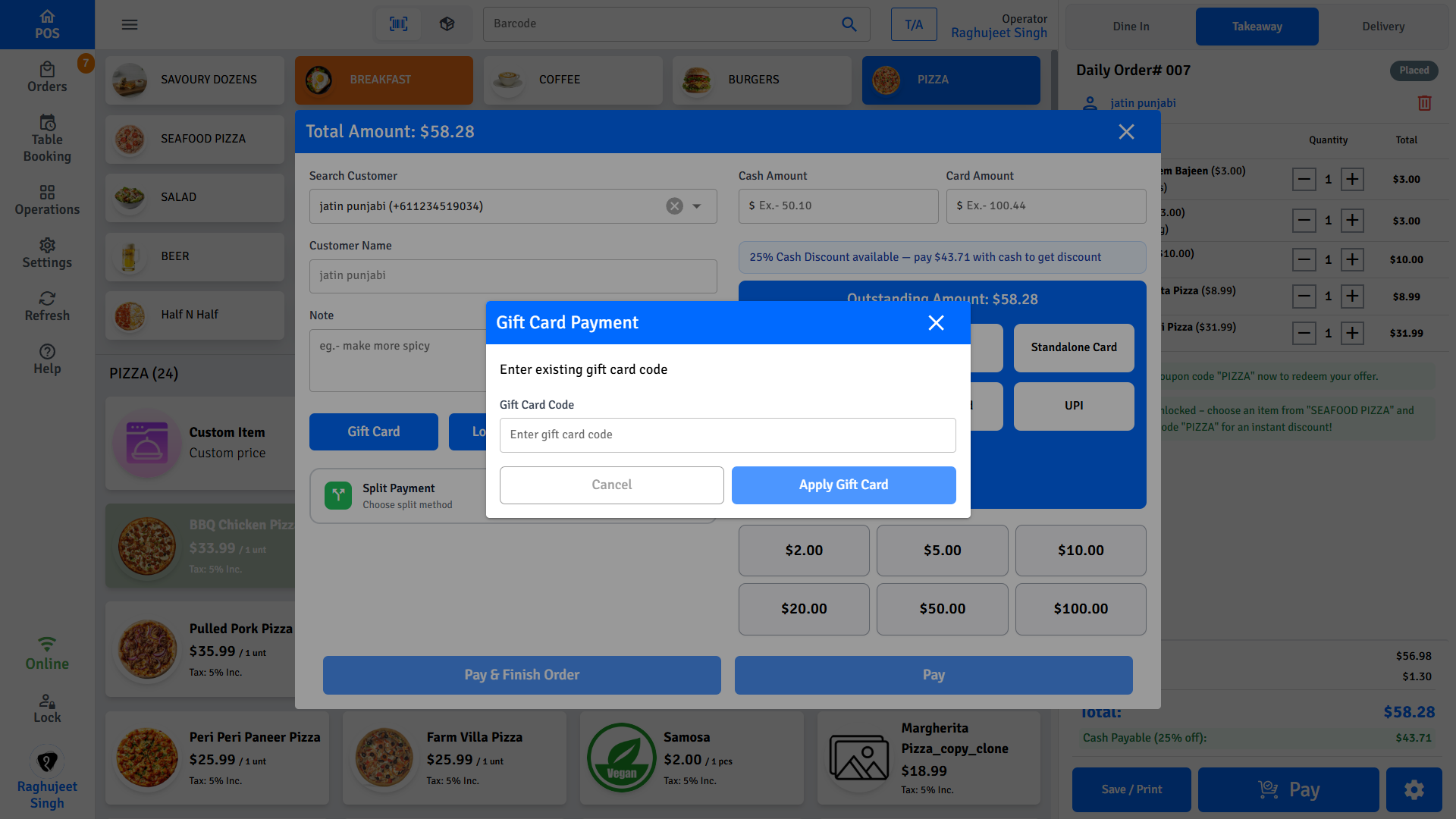
- Enter the Gift Card Code and tap Apply Gift Card.
- The POS verifies the card and shows its number, Available Balance, and expiry date.
- The amount to apply is selected automatically - the card balance or the outstanding amount, whichever is smaller - and is applied as payment.
INFO
If the card balance is less than the bill, the card is used in full and the remaining amount stays outstanding - collect it with cash, card, or points. If the bill is less than the card balance, the unused credit stays on the gift card for next time.
WARNING
One gift card per order. After a gift card payment is applied, the Gift Card and Loyalty buttons are disabled for that order.
If verification fails
The screen shows Verification Failed with the reason - usually a mistyped code, an expired card, or a card that belongs to a different customer. Re-check the code and the linked customer, then try again.
FAQs
Why are the Loyalty and Gift Card buttons greyed out?
Two possible reasons:
- No customer is linked to the order. Both features need a customer - tap Search Customer in the cart first.
- A gift card has already been applied. Only one gift card payment is allowed per order, and after it is applied both buttons are disabled.
Where do gift cards come from?
Two places:
- Customers buy them from your venue.
- Loyalty points convert into them when you redeem points at checkout.
🔒 Manager only - gift card purchases are managed in the Admin portal under Guest Services → Gift Card Purchases.
Can the customer see their points balance?
Yes. Look up the customer on the Customers screen to see their current points. The Loyalty Points screen at checkout also shows Available Points once the customer is linked to the order.
What if the customer wants to redeem points but the order is already paid?
Points can only be redeemed against an outstanding amount. Once the order is fully paid, there is nothing left to redeem against - the points stay on the customer's account for their next visit.