
Table planner — set up, arrange tables
Menu: Settings → Table planner
Drag tables on the floor canvas, set table numbers and shapes, then save so the reservation timeline and floor view match your real dining room.
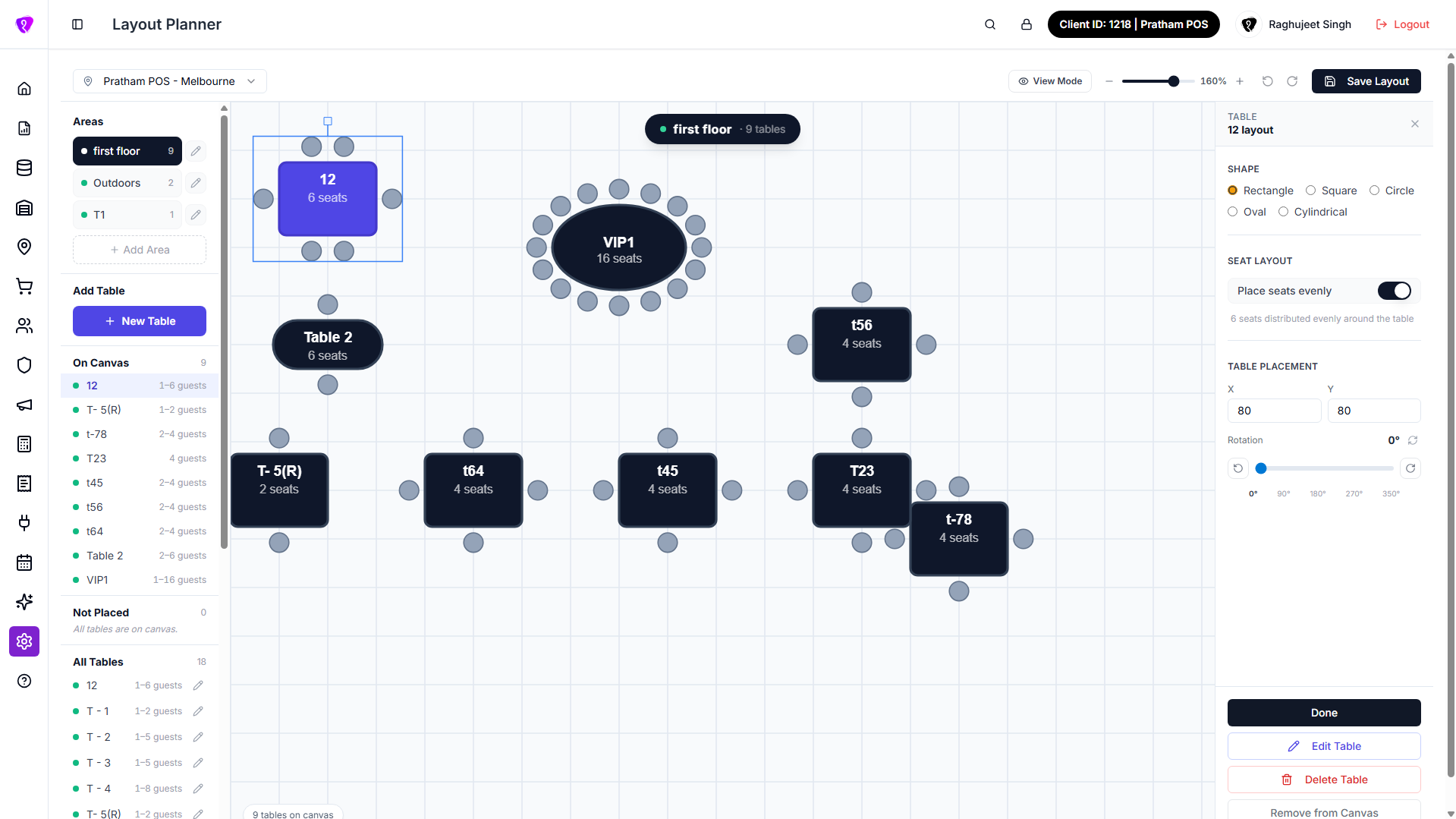 Caption: Table Planner layout canvas used to arrange floor tables
How to set up the table planner
- Pick location or floor if a selector appears.
- Drag tables to match the room layout.
- Resize or rotate if those handles appear.
- Click save before leaving — unsaved layout may be lost.
Toolbar
Use the icons along the top for add table, delete, undo, or grid snap — hover to read each tooltip.
Permissions
Floor layout editing is for venue manager or admin roles.